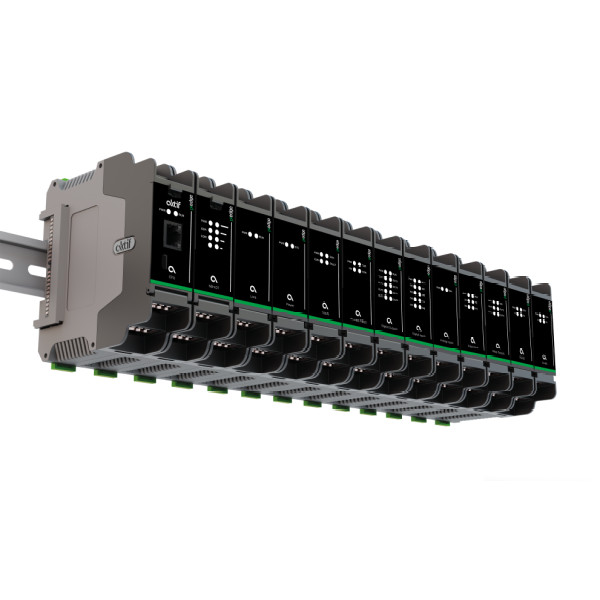

M-Bus/Modbus RTU protocol converters are an ideal solution for energy management applications. M-Bus20-ST is used for data exchange between different communication protocols and can be compatible with many different devices. M-Bus20-ST is designed to facilitate data exchange between M-Bus and Modbus RTU communication protocols. It is used to exchange data between measurement devices using the M-Bus protocol and devices using the Modbus RTU protocol.
The M-Bus protocol is widely used for communication with consumption measurement devices such as energy meters, water meters, and heat meters. Therefore, M-Bus/Modbus RTU protocol converters enable data exchange between these types of devices in energy management systems, facilitating communication between the management center and the meters.
The M-Bus20-ST offers many advantages, including high performance, ease of use, and affordability. The device operates with a 24 VDC power supply and supports up to 20 M-Bus devices. It can be easily mounted with its DIN rail mounting feature.
The M-Bus20-ST is equipped with a total of six LED indicators to show the device status and communication processes to the user. The Power LED (PWR) indicates that the device is receiving power and stays on continuously when powered. The Run LED (RUN) shows the operating status of the device and blinks periodically during normal operation.
The communication LEDs include the TX LED, which lights up when the device sends data over Modbus communication, and remains off otherwise. The RX LED lights up when the device receives data from Modbus communication, and stays off at other times. The M-Bus communication LEDs include M_TX LED, which lights up when data is sent to the M-Bus line, and M_RX LED, which lights up when data is received from the M-Bus line. Both LEDs are off under other conditions. These LED indicators allow for easy monitoring of the device’s operation and communication traffic.
Advantages
- Low power consumption
- Compact design
- Easy installation
Application Areas
- Shopping centers
- Residential projects
- Industrial facilities
- Hotel projects
Technical Specifications Chart
| Power Supply Voltage | 24 Vdc |
| Communication Protocol | M-Bus / Modbus RTU |
| Number of Connections | 20 cihaza kadar |
| Power | 4 Watts |
| LEDs | RUN, PWR |
| Mounting Type | RAIL |
| Dimensions (w x h x d) | 35.3 x 120.6 x 107.3 mm |
| Type | Size | Download Link | |
| M-Bus Protocol Converter | 1 MB | Download |
What does the M Bus20 ST device do?
The M Bus20 ST enables two-way data communication between meters, water or temperature measurement devices that transmit data using the M Bus protocol and systems that use Modbus RTU. This makes it possible to integrate devices with different protocols into the same energy management system.
Where is it suitable for use?
Thanks to its compact design, which can be mounted on a 96 mm DIN rail, it can be easily used in industrial panels, residential or commercial meter panels, OSB, shopping malls, hotels, or campus-type systems.
Why should I choose M Bus20 ST over similar converters?
With its low power consumption (4 W), support for up to 20 M Bus devices, and compact dimensions, it minimizes installation costs and space requirements. Additionally, it features RUN/PWR LED indicators for easy monitoring of operational status and ensures compatibility between interfaces and protocols.
When should I include the M Bus20 ST in the panel?
If your facility has both M Bus meters and a Modbus RTU-supported energy/SCADA infrastructure, the device should be immediately activated during renovation or new monitoring system installation, especially when multi-point meter readings are planned.
How is this device installed and prepared for communication?
After being mounted on a DIN rail, it is powered by 24 VDC.
- 1–20 meters can be connected to the M Bus line.
- It is integrated into the SCADA/BMS system via the RS 485 interface using Modbus RTU.
- The RUN and POWER LEDs indicate that the device is actively operating.
- Baud rates for M Bus: 300/2400/9600, Modbus RTU: 300–115200 bits/s can be adjusted; these features are detailed in the PDF manual.